Bridging and Wrapping vTAO
This page explains how to move native TAO from the Bittensor Substrate layer to the Bittensor EVM and wrap it into vTAO.
Introduction
TAO, the native token of the Bittensor network, exists on Subtensor, a Substrate-based platform. Hence, TAO is normally held in Substrate-style, ss58-format wallets.
If TAO is transferred to an Ethereum-style h160 wallet, it can be used in Bittensor's EVM layer. The process of moving TAO between Substrate and EVM wallets is referred to as TAO bridging.
Prerequisites
To follow along with the rest of the tutorial, you will need the following:
- A Talisman browser extension with a Substrate wallet—or "Polkadot account"—containing native TAO on Bittensor mainnet.
- An EVM Wallet extension, e.g. Talisman or Metamask.
For simplicity, we will be using the Talisman browser extension for this tutorial.
Step 1: Connect your wallets
To begin, you must first connect your Substrate and EVM wallet to the TAO.app Bittensor explorer. This step requires that you have the Talisman wallet extension installed on your browser.
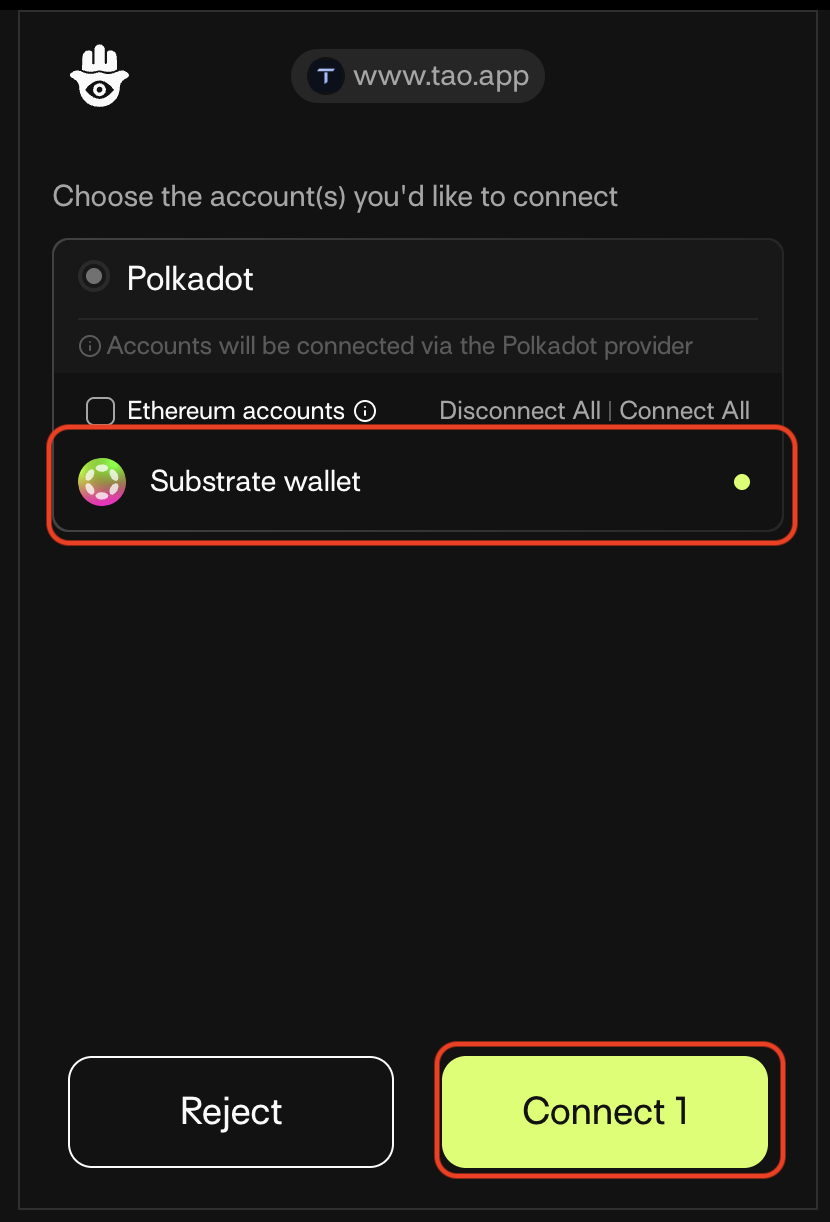
Connect your Substrate wallet
- Visit the TAO.app explorer page. If you do not already have a connected wallet, you will be redirected to the Talisman extension pop-up to connect a wallet
- Select your preferred Substrate account and then click Connect.
Connect your EVM wallet
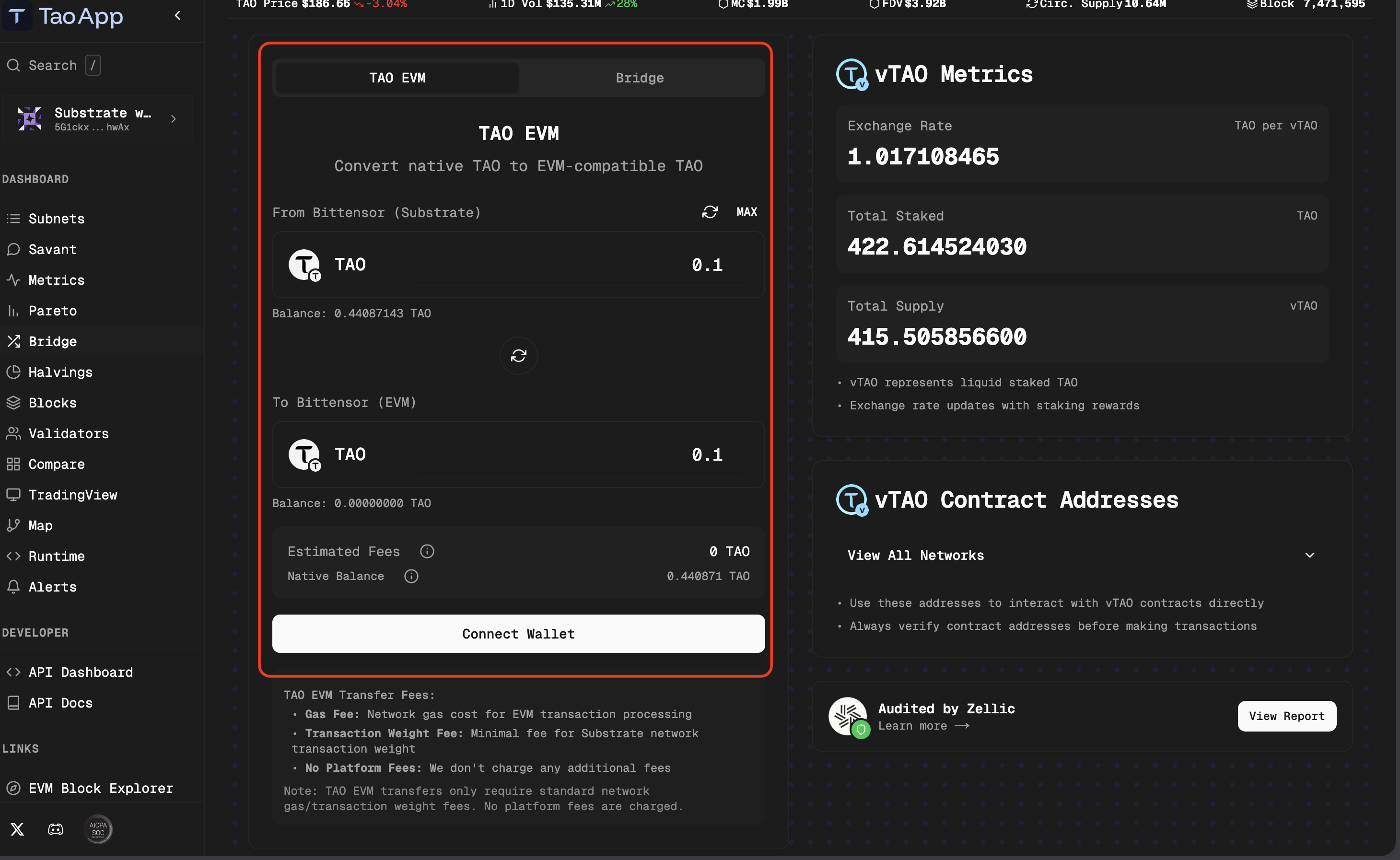
- Navigate to the TAO.app bridge page.
- On the TAO EVM tab, input the amount of native TAO to transfer from your Substrate wallet to the Bittensor EVM.
- Click Connect Wallet and continue the process on the Talisman extension.
Step 2: Bridge TAO to Bittensor EVM
Now, you can conver native TAO to EVM-compatible TAO. To do this:
- Ensure that you are on the TAO EVM tab within the TAO.app bridge page.
- Input the amount of TAO you want to transfer.
- Click Bridge and then approve the transaction on the Talisman extension.
Ensure you have enough TAO in your native Substrate wallet to cover the gas fees for the transaction.
Once the transaction is processed, verify that the TAO balance is now reflected in your Talisman EVM wallet.
Step 3: Wrap TAO to vTAO
After the TAO arrives on the Talisman EVM wallet, you can begin the process of wrapping TAO to vTAO.
- Navigate to the Bridge tab within the TAO.app bridge page to open the cross-chain bridge modal.
- Click the Sign & Accept button to confirm the disclaimer and then approve with your Talisman wallet.
- On the From dropdown, select TAO under Bittensor (EVM) and input the amount of TAO you want to wrap.
- On the To dropdown, select vTAO under Bittensor (EVM).
- Click Bridge and sign the pop-up on the Talisman extension.
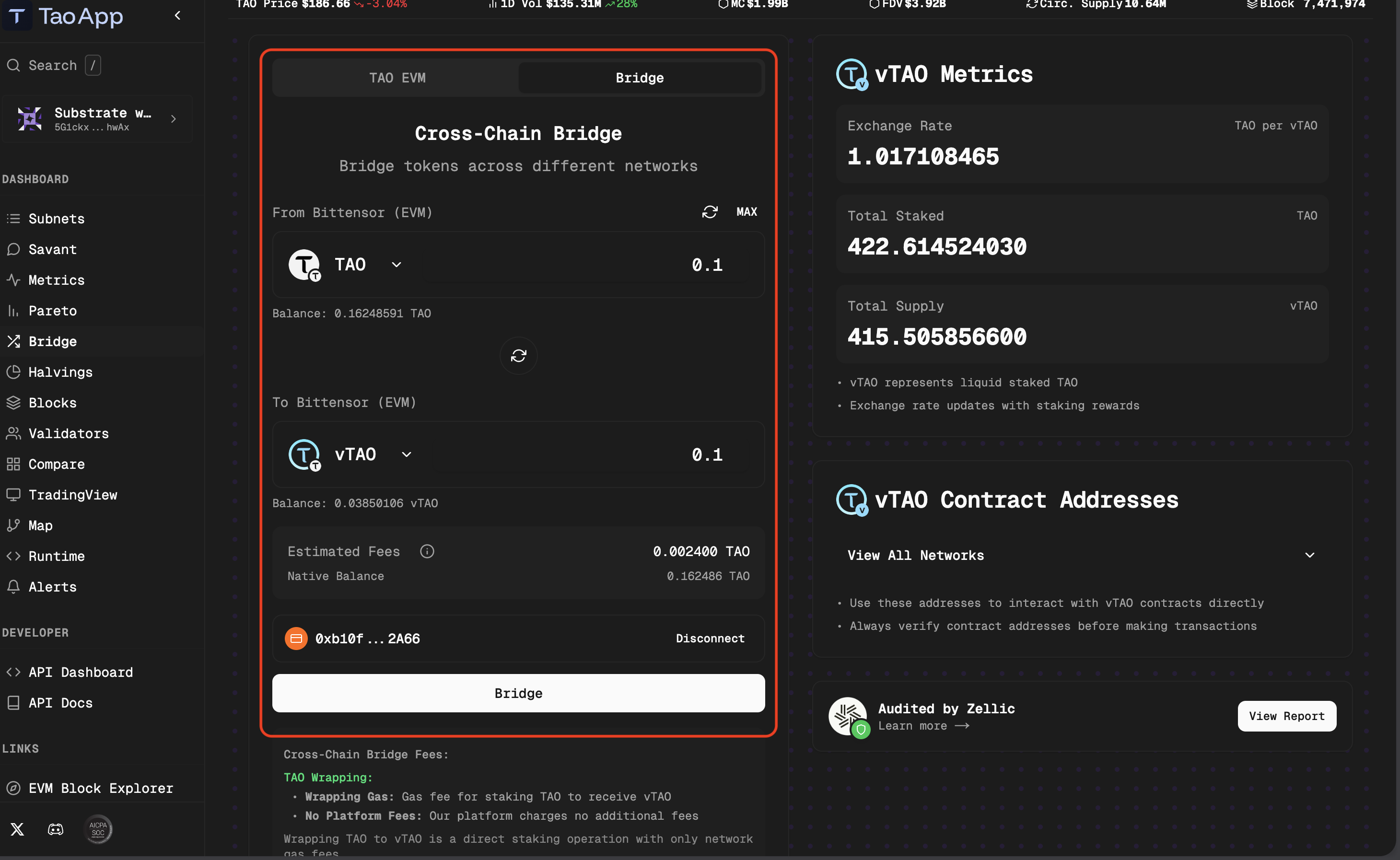
This converts your TAO into vTAO, the wrapped version compatible with cross-chain activity. Once the transaction is processed, verify that the vTAO balance is now reflected in your Talisman EVM wallet.
Ensure you have enough TAO in your EVM wallet to cover the gas fees for the transaction.
Next steps
After converting your TAO to vTAO, you can use it to earn staking rewards while using your TAO anywhere. For more information, see Providing vTAO liquidity to Aerodrome.